
Each new school year brings its share of account lockouts on the academic messaging system of Créteil. The webmail (webmel.ac-creteil.fr), the Arena portal, and the associated applications share the same credentials. When one gets locked, the entire professional digital ecosystem becomes inaccessible. The issue affects both permanent staff and contract workers or TZRs assigned to multiple establishments.
Passconnect: the exact mechanics of self-unlocking
The portal passconnect.ac-creteil.fr is the only entry point for a reset without human intervention. The process relies on three pieces of information: the academic identifier without the @ac-creteil.fr, the date of birth, and a verification code (captcha).
The next steps depend on what the user has provided beforehand. If a backup email address or a mobile phone number is listed in the profile, a link or code arrives within minutes. The new password then becomes active almost immediately.
However, when no backup email address is registered, the system requests the last four digits of the net salary from the June paycheck, including decimals. This information is found on the payslip available on ENSAP. Recent field reports confirm that this step traps many users: confusion between gross and net salary, forgetting the decimals, or simply an inaccessible payslip because it is protected by another password.
It is possible to resolve a locked account on the Créteil academy webmail by precisely identifying at which step the Passconnect process gets stuck, as each scenario calls for a different response.
Academic password: the requirements that cause silent rejection
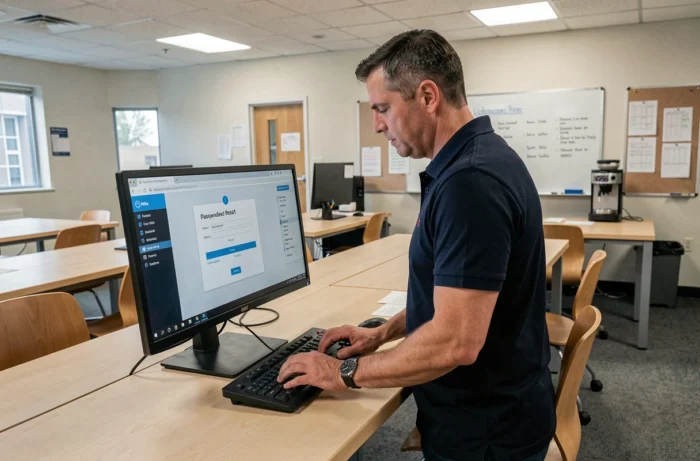
One in two lockouts does not stem from a forgotten password. It comes from a rejected password without an explicit error message. The complexity rules imposed by the Créteil academy are strict:
- At least twelve characters, mixing lowercase, uppercase, numbers, and special characters
- The characters ¤ and ^ are prohibited, which the form does not always clearly indicate
- The modification affects all academic applications (Arena, webmail, iProf) within a delay of up to one hour
This propagation delay creates a window of confusion. The user changes their password, tries to log into the webmail immediately afterward, fails, restarts a reset, and ends up locking the account due to accumulated attempts. The official documentation from ADN (Digital Assistance and Troubleshooting) mentions this delay, but it often goes unnoticed.
The trap of the browser and password manager
An old password saved in the browser or in a third-party manager can generate automatic login attempts in the background. Each failure counts. Before any reset, clearing the saved credentials for the domain ac-creteil.fr prevents triggering a new lockout as soon as the password is changed.
Actual unlocking times when Passconnect is not enough
Passconnect covers the majority of simple cases. When the self-service procedure fails (no backup information, NUMEN untraceable, account disabled after a transfer), the file is escalated to the DSDEN of the relevant department or to the DRASI.
The observed delays range from 24 to 48 working hours for manual intervention. During the back-to-school period, these delays significantly increase. Union communications, particularly from SNES Créteil and SE-UNSA, have documented recurring malfunctions in professional messaging at the beginning of the school year, with peaks of reports concentrated in the first days of September.
Field feedback varies on this point: some agents report restoration within a few hours after contacting their digital reference at the establishment, while others describe much longer delays when the ticket goes through the generic channel of academic assistance.
Contacting the right person according to your situation
The usual reflex is to call the rectorate’s switchboard, which rarely leads to a quick resolution. The support chain operates in tiers:
- The digital reference of the establishment (RUPN) can directly unlock some simple cases
- The academic assistance platform processes requests by ticket, with a response time varying according to workload
- The DSDEN intervenes for cases requiring administrative identity verification (recent transfer, change of position, account reactivation)
For TZRs or contract workers assigned late, the account may simply not yet exist in the directory. In this case, no reset will work until the human resources department has validated the assignment in the information system.
Email forwarding and IMAP access: alternative or source of blockage
Some staff configure a forwarding of their @ac-creteil.fr address to a personal Gmail or Outlook inbox. This practice, common and understandable for centralizing emails, poses a problem that is rarely anticipated: when the academic password changes or the account gets locked, the forwarding stops working without notification.
The user continues to check their personal inbox, receives nothing from the academy, and only realizes it when a colleague or a parent of a student points out the lack of response. The academic webmail remains the only reliable way to check the actual status of the account.
Access via an IMAP client (Thunderbird, the Mail app on a smartphone) offers better ergonomics than the native webmail. The connection settings use the servers of the Créteil academy and the same credentials. A lockout on the webmail is mirrored identically on the IMAP client, confirming that the issue lies at the account level and not with the interface.
The question of data privacy also arises. Forwarding emails containing information about students to a private American operator raises concerns regarding GDPR. The available data does not allow for a conclusion on the existence of a formal prohibition, but several internal academic notes advise against this practice.
In the face of a locked account, the first action remains to attempt Passconnect with the June payslip in hand. If the self-service process fails, quickly identifying the right contact (RUPN, academic assistance, DSDEN) and specifying your administrative situation in the request significantly speeds up the processing of the file.